

一 游戏说明:
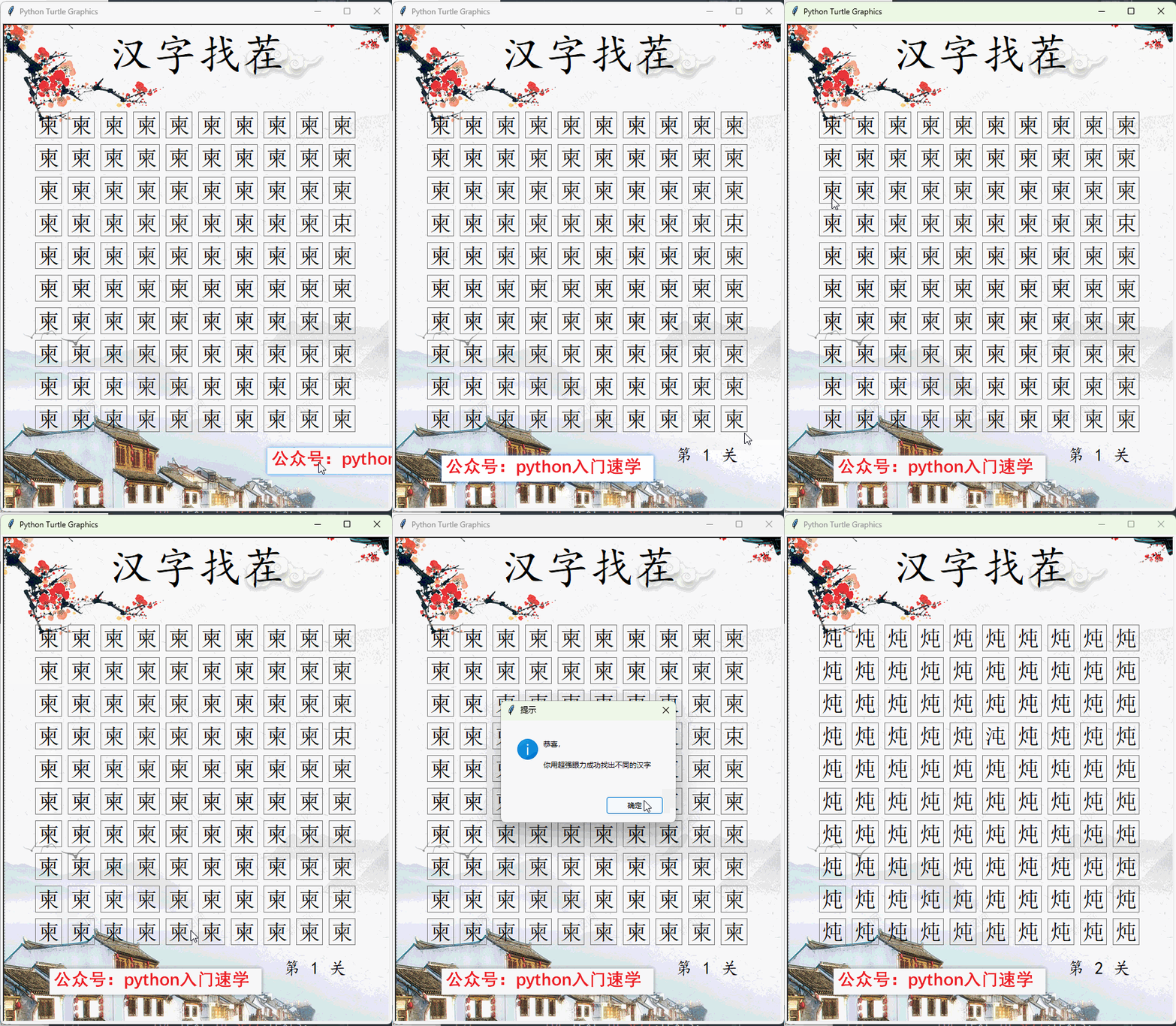
从100个文字中找出不一样的那个,下面是Python文字找茬游戏的效果图
二 程序说明
程序使用Python 3.8制作,主要使用turtle绘图库制作。
相对简单,这个程序里融合了大量的Python的基础语法,是Python初学者练手的好工具。
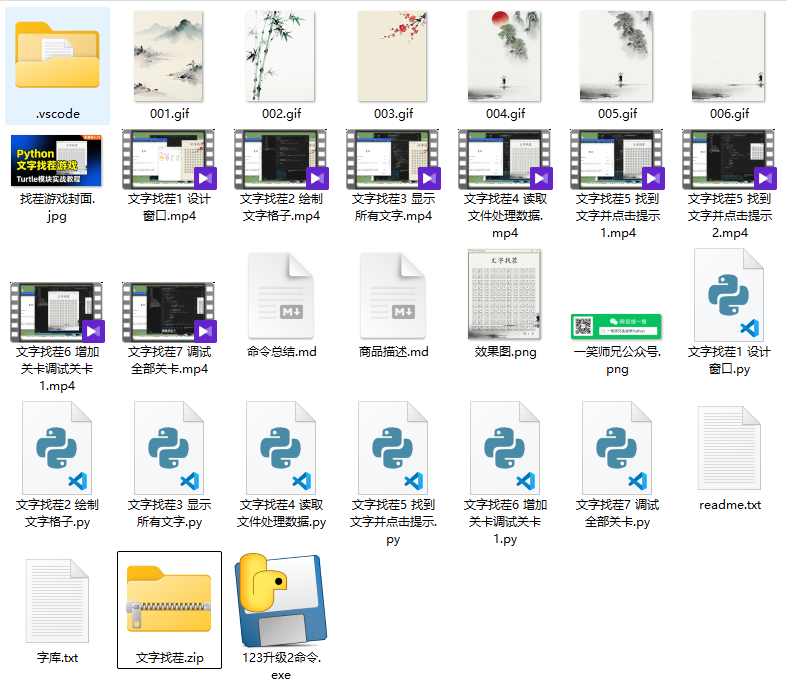
这个程序有完整的:
1 完整的游戏程序讲解,7个边写边讲的视频,适合初学者;
2 详细的分步Python文件,每一个功能一个Python文件;
3 文件包里还有相关的图片素材
4 提供完整的近似字文件
5 可直接运行的EXE游戏文件,以及其他文件文件
三 打包文件说明及源代码
1 全套源代码素材获取地址
初学者建议跟着视频和文件,结合图片和文件学习练习,
淘宝购买地址为:
https://item.taobao.com/item.htm?ft=t&id=1038553138656
2 Python文字找茬源代码
如果你可以自己看的懂,可以拷贝使用源代码
from turtle import *
import random
from tkinter import messagebox

def mc(x,y):
    global level
    print("点击位置的坐标为:",x,y)
    x1,y1,x2,y2 = list2[n]
    if x1<x<x2 and y2<y<y1:
        messagebox.showinfo("提示","好眼力,恭喜你找到了!")
        level += 1
        if level<=level_1:
            start()
        else:
            messagebox.showinfo("提示","好厉害!你已经完全通关了!")

def go(x,y):
    penup()
    goto(x,y)
    pendown()

def write_str():
    '''写文字'''
    tracer(0)
    x = -255
    y = 203
    m = 0
    for k in range(11):
        p1.up()
        p1.goto(x,y)
        for j in range(11):
            if m==n:
                p1.write(s1, align="center", font=("宋体",25))
                print(n)
            else:
                p1.write(s2, align="center", font=("宋体",25))
            p1.penup()
            p1.fd(d+10)
            p1.pendown()

            m += 1
        x = -255
        y = y-d-10

    p1.up()
    p1.goto(260,-340)
    p1.write(f"第 {level} 关", align="right", font=("宋体",20))

    tracer(1)
    # ----------------------------------------------

def start():
    global n,s1,s2
    n = random.randint(3,115)

    s = random.choice(list1)
    s = s.strip()
    #读取两个汉字
    #方法一:
    # s1 = s[0]
    # s2 = s[2]
    #方法二:
    s1,s2 = s.split(":")

    p1.clear()
    write_str()

w = Screen()
w.bgpic("006.gif")
w.setup(620,750)
speed(0)

p1 = Turtle()
p1.hideturtle()

# 设置标题
go(0,280)
write("文字找茬",align="center", font=("楷体",45))

list2 = []
level = 1
n = random.randint(3,115)
s1 = ""
s2 = ""

#画格子----------------------------------
tracer(0)
d = 40
x = -275
y = 240
for k in range(11):
    go(x,y)
    for j in range(11):
        for i in range(4):
            forward(d)
            right(90)

        x1 = round(xcor(),0)
        y1 = round(ycor(),0)
        list2.append( (x1, y1, x1+d, y1-d) )

        penup()
        fd(d+10)
        pendown()
    x = -275
    y = y-d-10
tracer(1)

#处理文字-----------------------------
f = open("字库.txt", 'r', encoding="utf-8")
list1 = f.readlines()
f.close()
#------------------------------------
level_1 = len(list1)
start()
w.listen()
w.onclick(mc)

done()